5 Apps You Should Try for Planning Trips with Friends in 2026
Group travel planning doesn't have to be chaos. These apps actually help.
Road Trips
Roadtrippers
Route planning + discovering stops
Most Friend Groups
FlowTrip
Free, built for groups, has voting
Solo/Business Travel
TripIt
Auto-imports bookings from email
Here's the thing: your group chat is perfect for making plans — until it's not. Someone suggests Barcelona. Then someone else posts a link to Lisbon. Now there are 47 unread messages, three different group polls in different apps, and nobody remembers who said they couldn't do June.
We tested apps by actually planning trips: a bachelor party in Prague, a music festival weekend in Barcelona, and a ski trip in Switzerland. Here's what actually worked when coordinating with real friend groups (not just feature lists from websites).
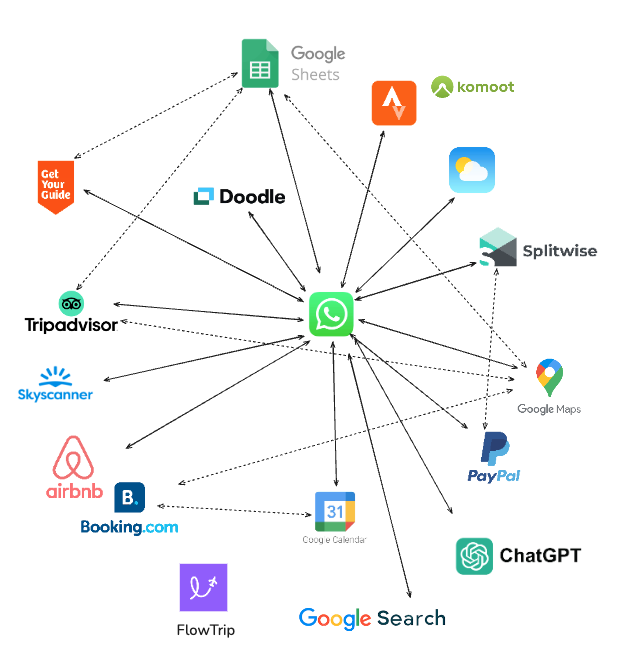
Which App to Try When?
🎪 You're planning a festival trip or bachelor/bachelorette party
Try: FlowTrip
When we planned a group trip to Primavera Sound Festival in Barcelona (8 people, 4 days), we needed more than just an itinerary. The group couldn't agree on anything. Should we stay together or split up? Airbnb or hotel? Pre-party meetup or go separately?
FlowTrip's voting feature saved us hours of debate. Everyone voted on accommodations, restaurants, and which festival sets to catch together. The AI suggested activities based on our preferences (found an amazing tapas spot we'd never heard of). Upload screenshots of your tickets and bookings, and it builds your itinerary automatically.
Why it works: Built specifically for group coordination. Everyone sees the same itinerary, votes on decisions, tracks expenses, and uses the group chat - all in one app. Completely free.
🎒 You're planning a month-long backpacking trip across Europe
Try: Wanderlog
For long, complex trips with lots of stops, Wanderlog shines. The map-based interface makes it easy to visualize your route. You can see flights, trains, accommodations, and activities all connected on a timeline.
Great for solo travelers or couples where one person does most of the planning. The free version works well, though collaboration is more basic than FlowTrip.
Why it works: Beautiful interface, excellent map integration, perfect for visualizing multi-city trips. Best for structured planning rather than group chaos.
🚗 You're doing a road trip across the US or Canada
Try: Roadtrippers
If you're driving through the US or Canada, Roadtrippers is unbeatable for discovering stops along your route. It suggests restaurants, attractions, scenic viewpoints, and hidden gems based on your path.
We used it for a California coast drive and found quirky stops we never would have discovered otherwise. The route planning is designed specifically for car trips.
Why it works: Specialized for North American road trips. Discovery-focused, not just logistics. But limited outside US/Canada and weak for group collaboration.
💼 You travel constantly for business (and sometimes mix in personal trips)
Try: TripIt
TripIt automatically turns your booking confirmation emails into a clean itinerary. Forward your flight, hotel, and rental car confirmations to TripIt, and it organizes everything with times, gates, addresses, and maps.
Perfect for frequent travelers who need logistics without manual entry. The Pro version ($49/year) adds flight alerts and seat tracking.
Why it works: Auto-import is fantastic for busy travelers. But the interface feels corporate and collaboration is weak. Great for solo business trips, not for group fun.
💰 You need to track shared expenses and split costs
Try: FlowTrip (built-in) or Splitwise
If you're already using FlowTrip for planning, it has expense tracking built in - track costs and split bills without leaving the app.
If you need advanced expense features (multi-currency, itemized splits, settling up via Venmo), Splitwise is the gold standard. It's not a trip planner, but it pairs well with any planning app.
Why it works: Prevents awkward money conversations. Everyone knows what they owe, and settling up is simple. Splitwise has a solid free version.
💡 Pro Tip: You don't need five apps. Pick one main planning app (FlowTrip for groups, Wanderlog for solo) and maybe add Splitwise if you need advanced expense splitting. Too many apps creates more chaos than it solves.
Our Honest Take: What We Actually Use
After planning a dozen trips with different friend groups, here's what we actually keep on our phones:
It's free, everyone can participate, decisions happen through voting instead of endless debates, and the AI planning actually saves time. We've used it for festivals, bachelor parties, skiing, and weekend city breaks. It just works.
When we're driving, Roadtrippers finds amazing stops we'd miss otherwise. Worth having for North American road trips specifically.
If our trip involves lots of shared costs and we need itemized splitting (like a ski house rental split multiple ways), we add Splitwise. But FlowTrip's built-in expense tracker handles most trips.
⚠️ Apps We Stopped Using: We tried Troupe (hasn't been updated in years, feels buggy), Tripsy (Apple-only, half our friends have Android), and about a dozen others. Most promised too much and delivered confusing interfaces. The apps above actually work for real friend groups.
Common Questions
Do I really need an app? Why not just use a group chat?
For simple trips (3 people, one night), a group chat is fine. But once you have 5+ people making decisions about dates, accommodations, activities, and splitting costs, group chats become chaos. Important details get buried, people miss messages, and you're repeating information constantly.
Apps centralize everything - one shared itinerary, clear decisions through voting, expense tracking in one place. It's the difference between "Did anyone see the link Sarah posted Tuesday?" and "Open the app, everything's there."
What if only some people in my group want to use an app?
Get one or two organized people to set it up and share the invite link. Once people see the trip looking organized (clear itinerary, dates, costs), they'll join. FlowTrip works well for this because joining a trip takes about 15 seconds.
Don't force everyone to participate equally. Some people just want to show up - let them. The organizers use the app for planning, and everyone else can follow along.
Are free versions actually useful or do I need to pay?
FlowTrip is completely free with all features - no catch, no paywall. It's genuinely free because they're building a user base.
Wanderlog's free tier works for most trips. TripIt's free version is basic (Pro is $49/year for flight alerts). Splitwise has a solid free version.
For most friend groups, you don't need to pay. The free versions of these apps are legitimately useful.
What about apps like Google Docs or Notion?
They work for making lists, but they're not designed for trip planning. You're manually tracking everything, there's no collaboration tools like voting, no maps, no expense tracking. It's like using a hammer when you need a power drill - sure, you can get the job done, but why make it harder?
Travel apps are purpose-built with features like shared itineraries, maps, polls, and coordination. They just make life easier.
Bottom Line: What Should You Download?
If you're planning a trip with friends and need one app to download right now:
Start with FlowTrip
It's free, built for groups, works on iOS and Android, and handles everything from voting to AI planning to expense tracking. Download it, create a trip, invite your friends, and see if it makes your life easier. If it doesn't work for you, you lost 10 minutes. If it does work, you just saved yourself hours of coordination chaos.
💡 Try This: Download FlowTrip before your next group trip planning conversation. Create a trip, add a few ideas, and share the link with your group. See how it feels compared to endless group chat messages. You can always switch to something else - but chances are you won't need to.