Top Travel Itinerary Planning Apps and Tools for Friends in 2026 ⭐
Creating the perfect travel itinerary with friends should be exciting, not exhausting. But between finding inspiration, coordinating schedules, organizing bookings, and splitting costs - it quickly becomes overwhelming.
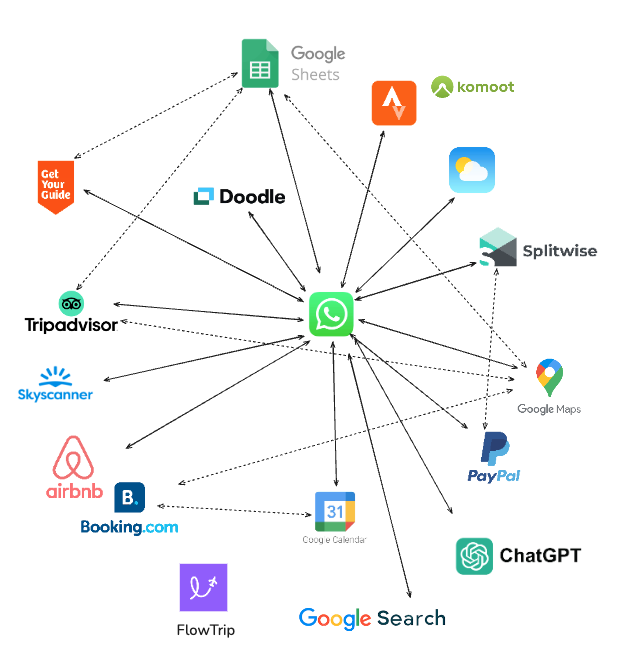
The good news? 🍀 You don't need to juggle endless group chats and spreadsheets anymore. The right combination of apps and tools can transform chaotic planning into a streamlined, collaborative experience where everyone stays excited and informed.
Quick Comparison
| App/Tool | Best For | Price | Rating |
|---|---|---|---|
| SPLITTR | Expense splitting & tracking | Free | ⭐ 4.6 |
| FlowTrip | Complete itinerary building & coordination | Free | ⭐ 4.8 |
| TikTok | Travel inspiration & discovery | Free | ⭐ 4.7 |
| TripIt | Organizing booking confirmations | Free, Pro $49/yr | ⭐ 4.6 |
| Doodle | Scheduling & finding common dates | Free, Pro $6.95/mo | ⭐ 4.5 |
Detailed App Reviews
1. FlowTrip
Best all-around itinerary planner with AI suggestions and group coordination
- 🗺️ Clean Itinerary and Map overview - everyone knows where to be, no one gets lost in the chat
- 📸 Build your trip by uploading Screenshots - no typing needed, just drop your restaurant reservation
- 🤖 AI Trip Idea Check - validates your trip based on your preferences, destination and season
- ✨ AI Recommendations - restaurants, hotels, coffee spots, activities based on your preferences
- 🗳️ Polls and voting - just suggest an activity and decide together
- 💬 Built-in chat - keep all trip conversations in one place
- 💰 Expense tracker - split costs and track spending
- 🎒 AI Packing list - never forget essentials, AI will help you take care of it
- ☀️ Weather Forecast - You will know if the weather changes
What sets FlowTrip apart: Instead of spending 2 hours researching and typing out every detail, just fill out your preferences in 10 seconds and AI will create a personally tailored itinerary. Or you can just upload screenshots of your flight confirmations, hotel bookings, or event tickets. FlowTrip's AI automatically extracts the information and builds your itinerary. Then it adds relevant suggestions - restaurants near your hotel, activities that match your group's vibe, coffee shops along your route.
The AI Trip Idea Check is a game-changer. Thinking about a beach trip in November? AI will tell you if that's actually a good idea based on weather patterns, budget considerations, and logistics. It's like having a travel-savvy friend review your plans before you book.
FlowTrip shines for event-based trips: music festivals (Primavera Sound, Coachella), Oktoberfest, FIFA World Cup 2026, Taylor Swift tours, and bachelor/bachelorette parties. The combination of polls, chat, and crystal-clear itineraries means everyone stays coordinated - even when cell service is spotty.
✓ Pros
- • Completely free, no ads
- • Upload screenshots instead of typing everything
- • AI does 2 hours of research in 10 seconds
- • Everyone knows where to be (clean map + itinerary)
- • All tools in one app (chat, polls, expenses, packing)
- • Perfect for large groups and events
✗ Cons
- • Not made for backpacking trips
- • Limited offline functionality
- • No web version yet (mobile-only)
Pricing: Free
Best for: Complete itinerary building and coordination with friends - music festivals (Primavera Sound, Coachella), Oktoberfest, FIFA World Cup 2026, Taylor Swift tours, bachelor/bachelorette parties, friend groups (3-20 people)
2. SPLITTR
Best for: Simple and clean expense splitting
SPLITTR is a lightweight, user-friendly app designed specifically for splitting expenses on group trips. Its minimalist interface makes it incredibly easy to log expenses on the go - whether you're splitting a taxi, dinner bill, or accommodation costs.
What makes SPLITTR stand out is its simplicity. You create a trip, add participants, and start logging expenses. The app automatically calculates who owes what and provides a clear summary at any time. It handles different currencies, unequal splits (when someone doesn't participate in an activity), and optimizes the settlement to minimize the number of transactions needed.
Unlike some expense apps that feel cluttered with features, SPLITTR stays focused on doing one thing really well. The clean design means there's no learning curve - you can start tracking expenses within seconds of downloading the app.
✓ Pros
- • Extremely simple and intuitive interface
- • Fast expense logging
- • Handles multiple currencies
- • Optimizes who pays whom
- • Clean, ad-free experience
- • Works offline (syncs when back online)
✗ Cons
- • Only does expense tracking
- • No itinerary or planning features
- • Limited receipt attachment features
- • No integration with other planning tools
Pricing: Free
Verdict: If you want a dedicated, no-nonsense expense splitting app, SPLITTR is excellent. However, if you prefer having expense tracking integrated with your overall trip planning, FlowTrip's built-in expense feature covers most needs in one place.
3. TikTok
Best for: Finding authentic travel inspiration and hidden gems
TikTok has become an unexpected powerhouse for travel inspiration. Unlike traditional travel guides that can feel outdated or overly polished, TikTok gives you real-time, authentic recommendations from travelers who just visited your destination.
Search for your destination (like "Barcelona travel guide" or "best restaurants in Tokyo") and you'll find hundreds of short videos showing you exactly what to expect - from that hidden coffee shop locals love, to the best time to visit a tourist spot to avoid crowds, to budget-friendly food recommendations that actually taste amazing.
The algorithm is particularly good at surfacing trending spots and lesser-known gems. You'll discover places that wouldn't show up in traditional guidebooks. Plus, the video format gives you a real sense of the vibe and atmosphere before you go.
Pro tip: Save videos to collections organized by destination, then transfer your favorite spots to FlowTrip to build your actual itinerary with your friends. You can even share TikTok links in FlowTrip's chat to discuss which spots to add.
✓ Pros
- • Authentic, real-time recommendations
- • Discover trending spots and hidden gems
- • Visual format shows exactly what to expect
- • Free to use
- • Great for finding budget-friendly options
- • Easy to save and organize videos
✗ Cons
- • Not designed for trip planning or organization
- • Can be time-consuming to sift through content
- • Some recommendations may be sponsored
- • No itinerary building features
- • Need to transfer info to actual planning app
Pricing: Free
Verdict: TikTok is invaluable for the inspiration and research phase of trip planning. Use it to discover amazing spots, then transfer your favorites to FlowTrip to build an organized itinerary with your friends.
4. TripIt
Best for: Automatically organizing booking confirmations
TripIt is the classic tool for automatically organizing your travel confirmations. Forward your booking emails (flights, hotels, car rentals, restaurant reservations) to your TripIt email address, and it automatically creates a clean, organized itinerary with all the important details - gate numbers, check-in times, confirmation codes, addresses.
For people who book a lot of things separately and want everything organized in one timeline without manual entry, TripIt is excellent. It works particularly well for business travelers or anyone with complex multi-city itineraries with lots of bookings.
However, TripIt is more about logistics than collaboration. It doesn't have group decision-making features, voting, or built-in chat. It's great for organizing what you've already booked, but not ideal for the collaborative planning phase with friends.
✓ Pros
- • Auto-import of bookings is top-notch
- • Reliable alerts and calendar sync
- • Works offline
- • Great for organizing complex itineraries
- • Professional, clean interface
✗ Cons
- • Outdated design and UX
- • Weak collaboration features for groups
- • Pro version ($49/year) needed for best features
- • No voting or group decision-making tools
- • Feels corporate, not social
Pricing: Free; Pro $49/year
Verdict: Brilliant for organizing booking confirmations, especially if you have many separate bookings. However, FlowTrip offers similar functionality (screenshot upload with AI extraction) plus group collaboration features, making it a more complete solution for friend trips.
5. Doodle
Best for: Finding dates that work for everyone
Doodle is the go-to tool for scheduling and finding dates that work for a group. If you've ever tried coordinating dates for a trip with 8+ friends through group chat, you know the pain - endless messages, conflicting schedules, and someone inevitably asking "wait, which weekend are we doing again?"
With Doodle, you create a poll with possible dates, share the link with your group, and everyone marks their availability. You can see at a glance which dates have the most green checkmarks and make a decision quickly. It's simple, effective, and removes the chaos from the initial planning phase.
Doodle works for more than just dates - you can also use it to vote on destinations, accommodation options, or activities. The free version works well for most friend groups, though the interface can feel a bit dated compared to newer apps.
Note: Once you've decided on dates and destination, you'll need to move to a full planning app like FlowTrip to actually build your itinerary. Doodle is excellent for the very beginning of trip planning but doesn't offer itinerary building, expense tracking, or ongoing coordination.
✓ Pros
- • Perfect for finding dates that work for everyone
- • Simple, no learning curve
- • No account needed for participants
- • Free version works well
- • Can also vote on options beyond dates
✗ Cons
- • Only useful for initial scheduling phase
- • No itinerary or planning features
- • Dated interface
- • Free version has ads
- • Need other apps for actual trip planning
Pricing: Free; Pro $6.95/month
Verdict: Excellent for the initial "when should we go?" phase, especially for larger groups. Once dates are set, move to FlowTrip for comprehensive planning. Note that FlowTrip also has built-in voting features for activities and decisions, so you might not need Doodle if you start with FlowTrip from the beginning.
How to Use These Tools Together
🎯 The All-in-One Approach
Just use FlowTrip: If you want everything in one place - itinerary building, AI suggestions, voting, chat, expenses, packing lists - FlowTrip handles it all for free. Add TikTok for inspiration, and you're set.
🛠️ The Complete Planning Stack
- Step 1 - Find dates: Doodle (or FlowTrip's voting)
- Step 2 - Get inspired: TikTok
- Step 3 - Build itinerary: FlowTrip
- Step 4 - Organize bookings: FlowTrip (screenshot upload) or TripIt (email forwarding)
- Step 5 - Track expenses: SPLITTR or FlowTrip's built-in tracker
👥 By Group Size
- 2-4 people: FlowTrip + TikTok for inspiration
- 5-10 people: Doodle for dates + FlowTrip for everything else
- 10+ people: Doodle for dates + FlowTrip for coordination + SPLITTR for complex expense tracking
🎯 By Trip Type
- Music festivals (Coachella, Primavera, Tomorrowland): FlowTrip for coordination + TikTok for lineup research
- Bachelor/bachelorette parties: Doodle for dates + FlowTrip (AI planning saves hours)
- City breaks: TikTok for hidden gems + FlowTrip for itinerary
- Beach vacations: FlowTrip + TikTok for restaurant recommendations
- Outdoor adventures (hiking, skiing): FlowTrip + TikTok for trail recommendations
Ready to Build Your Perfect Itinerary?
Stop juggling multiple apps and spreadsheets. FlowTrip brings together everything you need for itinerary planning - AI suggestions, screenshot uploads, voting, shared timelines, expenses, and real-time coordination - in one beautiful, free app.
Frequently Asked Questions
What's the best free travel itinerary planning app?
FlowTrip offers the most comprehensive free tier for travel itinerary planning with no limitations on group size or features. It includes AI planning, screenshot uploads, polls, chat, expense tracking, and packing lists - all free. You can build complete itineraries, get AI suggestions, and coordinate with friends without paying anything.
How do I create a travel itinerary with friends?
Use FlowTrip to build your itinerary by either: 1) Fill out a quick preference form and let AI create a personalized itinerary, or 2) Upload screenshots of bookings and FlowTrip extracts the details automatically. Get travel inspiration from TikTok, coordinate initial dates with Doodle if needed, and use FlowTrip's voting features to decide on activities together.
Where can I find travel inspiration for my itinerary?
TikTok has become one of the best platforms for authentic travel inspiration. Search for your destination (like "Paris travel tips" or "best tacos in Mexico City") and you'll find hundreds of videos from real travelers showing hidden gems, budget-friendly spots, and trending locations. Save your favorites and add them to your FlowTrip itinerary.
How do I coordinate dates with friends for travel?
Doodle is excellent for finding dates that work for everyone, especially with larger groups. Create a poll with possible dates, share it, and see at a glance which dates have the most availability. FlowTrip also has built-in voting features for activities and decisions once you've picked your dates.
What is the best app to organize travel confirmations?
TripIt automatically organizes confirmations by forwarding booking emails. However, FlowTrip offers a more modern approach - just upload screenshots of your confirmations and AI extracts the details and builds your itinerary. FlowTrip also adds the benefit of group coordination, voting, and chat in the same app.
Do I need multiple apps to plan a trip itinerary?
Not necessarily. FlowTrip can handle most of your itinerary planning needs in one app - building the itinerary, organizing bookings, voting on activities, chatting with your group, and tracking expenses. You might add TikTok for inspiration during research, and optionally Doodle if you have a large group and need to find common dates.
Final Verdict
After using all these tools on real trips, FlowTrip stands out as the most complete solution for travel itinerary planning with friends. Its combination of AI-powered itinerary building, screenshot uploads, voting features, built-in chat, expense tracking, and zero cost makes it the obvious starting point and main hub for your trip planning.
The other apps serve specific purposes during different phases: TikTok is invaluable for inspiration, Doodle simplifies initial scheduling for large groups, TripIt works if you prefer email forwarding over screenshots, and SPLITTR is great if you need a dedicated expense app. But FlowTrip can handle most of what these apps do, plus proper group coordination.
- 🏆 Best overall: FlowTrip - complete itinerary planning in one app
- 💡 Best for inspiration: TikTok - authentic, real-time travel tips
- 📅 Best for scheduling: Doodle - finding dates for large groups
- 📧 Best for email organization: TripIt - automatic confirmation parsing
- 💰 Best for expense splitting: SPLITTR (or FlowTrip's built-in tracker)
The travel app space continues to evolve. We'll update this comparison quarterly as apps add new features and as we test them on more trips. Last updated: January 2026
Ready to plan your next trip with friends?
Join thousands of groups using FlowTrip to plan unforgettable adventures. Free forever, no credit card required.