FlowTrip vs Wanderlog: Which Is Better for Planning With Friends?
FlowTrip and Wanderlog can both help friends organise a trip, but the better choice depends on what is slowing your group down: agreeing on the plan or arranging it geographically. This comparison looks at the same practical jobs in both apps, from choosing a hotel to sharing costs, so you can pick a workflow your friends will actually use.
1. Quick comparison: which fits your group?
| Criterion | FlowTrip | Wanderlog |
|---|---|---|
| Best fit | Group proposals and decisions alongside the trip plan | Map-led research and arranging an itinerary |
| Decisions | Proposals, votes and comments | Shared collaboration; specific voting workflow not verified here |
| Itinerary and costs | Shared itinerary, map and expenses | Itinerary and map, budgeting and bill splitting |
| Free access | Free download; exact allowances and participant cap unverified | Unlimited trips and collaborators |
| Paid offer | US$9.99, US$14.99 and US$29.99 purchases with unspecified periods; US$99.99 lifetime | Pro starts at US$39.99/year or US$16.99/month |
| Access | iOS and Android listings verified | Web, iOS and Android |
Published by FlowTrip. This comparison uses official product, store and help pages checked November 4, 2026. It is desk research, not independent hands-on testing. Account offers can vary; unverified features and limits are labelled.
2. Group decisions: which app helps before anything is booked?
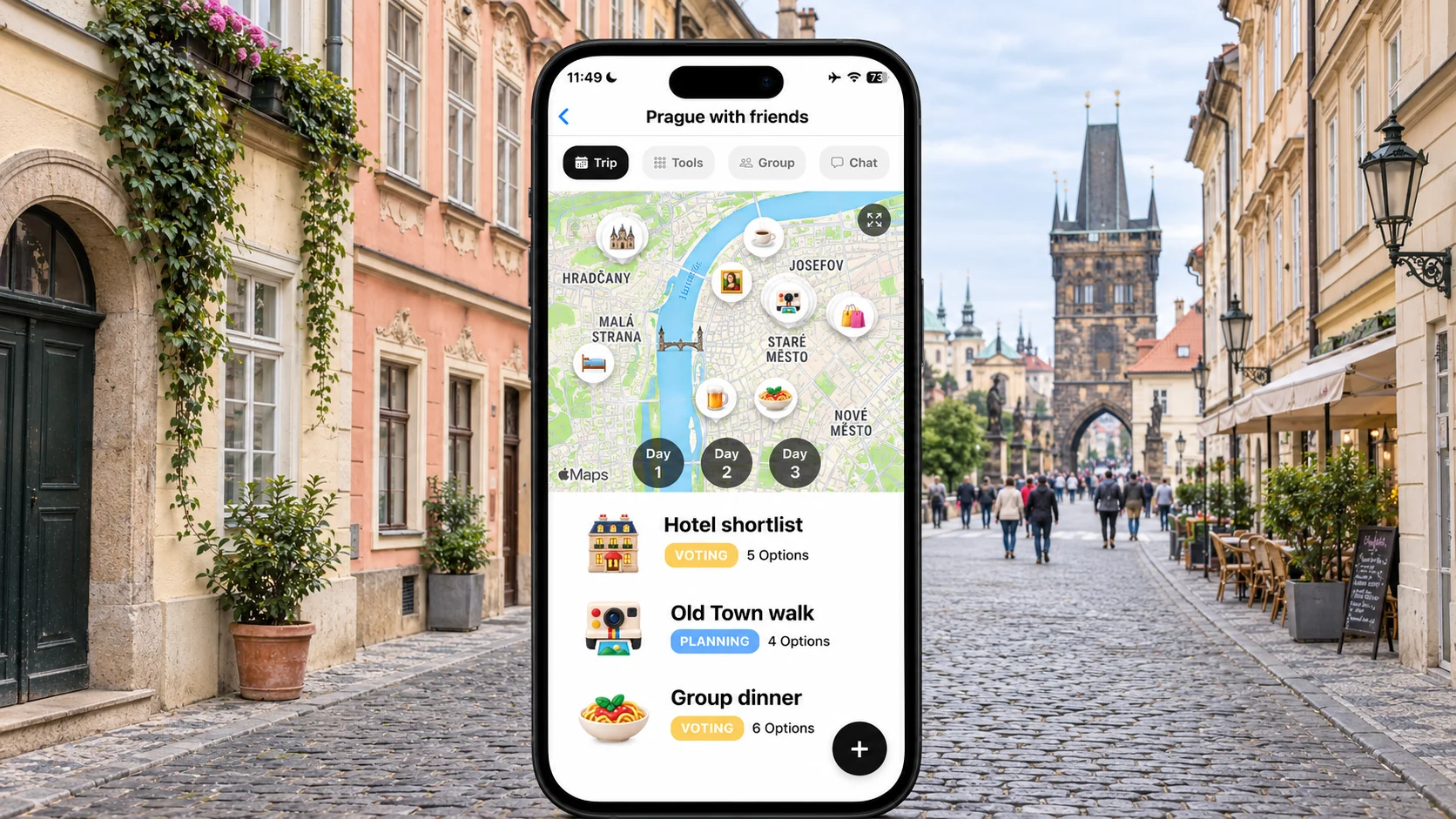
The first job is not always building an itinerary. Six friends might agree on Prague while disagreeing about dates, room costs and how much nightlife they want. Our recommendation is to start with that unresolved work, rather than choose an app because its map looks attractive.
🗳️ FlowTrip: make the choices explicit
FlowTrip's published features include proposals, votes and comments. That is a useful starting point for asking friends to choose between two hotel options or suggest activities. Keep each decision small: the total room cost, sleeping arrangement and cancellation deadline should be visible together. A hotel with the most votes still needs an agreed payer and a clear decision about who is financially committed.
🗺️ Wanderlog: turn contributions into a shared plan
Wanderlog's free collaboration lets people contribute to the trip. For a group that already agrees on dates and budget, collecting places and arranging them on a map can be the more important task. We have not established an equivalent voting workflow from the sources reviewed; that is a research limit, not proof that no such option exists. Ask a friend to contribute before deciding which workflow feels easier.
⚖️ Our decision
Choose FlowTrip first if the group chat repeatedly circles around the same unresolved choices. Choose Wanderlog first if somebody already has permission to organise the trip and needs the others to add places. Neither tool can decide how much a friend can afford. Establish a private spending ceiling before turning accommodation into a public popularity contest.
3. Itineraries and maps: compare the job, not the presence of a map
Both products describe maps and shared itineraries. The useful distinction is how the group wants to work with them. A short weekend and a complicated driving route can need very different levels of organisation.
📍 FlowTrip: keep the agreed plan close to decisions
For a three-night Prague break, use the shared plan to keep the chosen hotel, one main activity per day and dinner arrangements together. Separate an optional Old Town walk from something somebody has paid for. Record the booking owner and original supplier details. A marker in the itinerary is a planning aid, not evidence that entry or a table has been reserved.
🛣️ Wanderlog: a strong candidate for geographic planning
Wanderlog presents its itinerary and map together and includes reservation organisation. Its paid offer includes route optimisation and offline mobile access. Those features deserve consideration for a trip with many stops, but a walkable weekend may not require an upgrade. Test the free workflow against a real day of your trip before paying for capabilities that sound useful in the abstract.
⏱️ A fair sample-day exercise
Give both planners the same inputs: the hotel address, a morning attraction, lunch and an evening booking. Include travel time and a free afternoon rather than filling every available slot. Ask a second person to find the evening address and tell you what is still optional. This is a suggested user test, not a performance test we conducted.
4. Shared expenses: both deserve a look
Do not choose FlowTrip on the mistaken assumption that Wanderlog cannot split bills. Official descriptions cover expenses in FlowTrip and budgeting and bill splitting in Wanderlog. The more useful comparison is whether your group's actual spending can be represented clearly.
💸 Use an uneven bill as the test
Imagine six friends share a €180 dinner, but only four join a €100 activity. The dinner allocation is €30 each; the activity is €25 for its four participants. Enter the two expenses separately in whichever app you try. Ask an invited friend to check their balance. This simple example exposes confusion that a perfectly equal whole-group bill can conceal.
🧾 Keep projected and paid costs separate
A hotel shortlist at €120 per room is not an expense already paid. Agree whether your working budget is per room, per person or for the entire stay, and record deposits only once. If someone buys transport independently, do not automatically add it to the shared pool. The app is a record of your agreement, not a substitute for agreeing the split.
🔎 Check the edge cases you actually need
Unequal shares, refunds, several currencies and exports can matter more than an attractive total. We did not verify every such capability or tier in either app. Try your own edge case before moving an existing ledger, and retain original receipts. Recording a balance also does not establish that money has been transferred to the person who paid.
5. Pricing and devices: compare like with like
Prices below were checked on November 4, 2026. They are published offers, not guaranteed quotes for every country, store or future date. Compare entitlement and billing period before deciding that the smaller number wins.
📱 FlowTrip's public offer needs a careful reading
The US Apple listing shows Unlimited Access purchases at US$9.99, US$14.99 and US$29.99 without specifying their billing periods, plus a US$99.99 lifetime purchase. We therefore do not label the smaller offers monthly or annual. Native iOS and Android listings are verified; exact free allowances and a numeric group cap were not established. Check the offer shown to your account before inviting everyone.
💳 Wanderlog publishes a clearer free collaboration allowance
Its help centre states unlimited trips and collaborators are free. The web Pro offer starts at US$39.99 yearly or US$16.99 monthly. One month costs less than one annual purchase, while three separate months at that stated monthly price total US$50.97. That arithmetic compares billing only; it does not mean everybody needs Pro or that one organiser's subscription covers the group.
💻 Match the access route to the people
Wanderlog supports browser planning as well as iOS and Android. FlowTrip's mobile listings are established, but we have not verified an equivalent browser editor. If a friend insists on planning from a laptop, check access before moving the trip. Send one invitation, have them perform a real task and only then ask the rest of the group to follow.
6. Which should your friends choose?
Our preference is conditional: FlowTrip for a group that needs to make decisions together; Wanderlog for one whose main job is building a researched, map-led itinerary. Keeping a functioning existing plan can be better than switching.
👥 Choose FlowTrip for a decision-heavy weekend
Try it when the same hotel and activity questions keep returning to the chat. Give the group two affordable options, a response deadline and a named booking owner. The practical success measure is whether everyone understands the decision and their cost, not how many suggestions have been added. Start with one unresolved question rather than reconstructing the entire holiday.
🧭 Choose Wanderlog for a route-heavy holiday
Try it when the destination is settled and the group wants to organise many saved places into sensible days. Free collaborators are a meaningful advantage when several people will contribute. Evaluate premium features only if the route or connectivity needs justify them. Do not buy an annual plan solely because your group is taking one short city break.
🔄 Switch without losing the important information
A complete automatic migration between the products was not verified. Copy agreed dates, accommodation addresses and booking-owner details first; preserve confirmations separately. Check a sample expense before transferring the ledger. Set a date when one itinerary becomes authoritative, so friends do not follow different versions. Avoid sharing identity documents in a broadly accessible trip note.
Frequently asked questions
Is FlowTrip better than Wanderlog?
For groups whose main problem is agreeing on choices, FlowTrip is a relevant first option. Wanderlog is a strong fit for map-led itinerary work. The recommendation depends on the task, not an overall score.
Is Wanderlog free for groups?
Its official help centre says free users can create unlimited trips with unlimited collaborators. Some features, including offline access and route optimisation, belong to Pro.
Does Wanderlog split expenses?
Yes. Its official mobile-app page describes budgeting and bill splitting. Check your particular split and currency requirements before migrating a ledger.
Can I use FlowTrip on a laptop?
Native iOS and Android listings were verified. A browser-based trip editor was not established from the sources reviewed; check current access before relying on desktop planning.
Sources and review method
Reviewed November 4, 2026. We compared published workflows, free and paid offers, platforms and group access. Recommendations and sample trips are editorial judgments, not measured results. We did not test every account entitlement or migration path. A feature we could not verify is not necessarily absent.
- FlowTrip official features
- FlowTrip US App Store offer
- FlowTrip Android listing
- Wanderlog free collaboration
- Wanderlog Pro
- Wanderlog itinerary and expense features
Planning with Friends? Try FlowTrip App 🚀
Group plans move forward when everyone understands the choices and shared costs.
FlowTrip brings proposals, votes and your shared trip plan together.
- 🗺️Clean Itinerary and Map overview - everyone knows where to be, no one gets lost in the chat
- 📸Build your trip by uploading Screenshots - no typing needed, just drop your restaurant reservation
- 🤖AI Trip Idea Check - validates your trip based on your preferences, destination and season
- ✨AI Recommendations - restaurants, hotels, coffee spots, activities based on your preferences
- 🗳️Polls and voting - just suggest an activity and decide together
- 💬Built-in chat - keep all trip conversations in one place
- 💰Expense tracker - split costs and track spending
- 🎒AI Packing list - never forget essentials, AI will help you to take care of it
- ☀️Weather Forecast - You will know if the weather changes
More Trip Planning Guides
📱 3 Best Group Travel Planning Apps for 2027
Compare the broader group-planning shortlist
📱 FlowTrip vs Stippl: Group Planning, Features and Pricing Compared
Compare another group-planning option
📱 Let's Jetty vs FlowTrip: Which Travel Planner Works Better for Groups?
Compare another group-planning option