3 Best Splitwise Alternatives for Group Trips
The right Splitwise alternative depends on whether you need a better shared ledger or a place to organise the whole trip. This shortlist compares FlowTrip, tricount and Settle Up for a friends' holiday, including the important difference between recording a debt and actually paying it.
1. Quick comparison: choose the right kind of alternative
| App / review | Best use | Free tier | Published paid offer | Platforms | Group limits |
|---|---|---|---|---|---|
| FlowTrip | Decisions, itinerary and shared costs | Free download; allowances unverified | US$9.99–29.99 offers, interval unspecified; US$99.99 lifetime | iOS, Android | Numeric cap unverified |
| tricount | Dedicated shared-expense ledger | Core tracking; no ads or daily cap | No paid core tier listed; optional services separate | iOS, Android | Numeric member cap unverified |
| Settle Up | Ledger with group premium option | Free app with advertising | US iOS: US$3.99/month or US$19.99/year; group week US$5.99 | Web, iOS, Android | Group Premium covers one group; numeric cap unverified |
This guide focuses on switching an existing travel group from Splitwise, including migration and reconciliation. For a broader product survey, see our expense-splitting-app guide in the related links. Splitwise's own Pro page advertises unlimited expenses and currency conversion; this comparison does not assume a universal free daily limit.
Published by FlowTrip. This is desk research from official product, store and help pages checked November 3, 2026, not independent hands-on testing. Prices and account offers can change; unknown limits are labelled rather than assumed.
2. FlowTrip: shared expenses alongside the trip plan
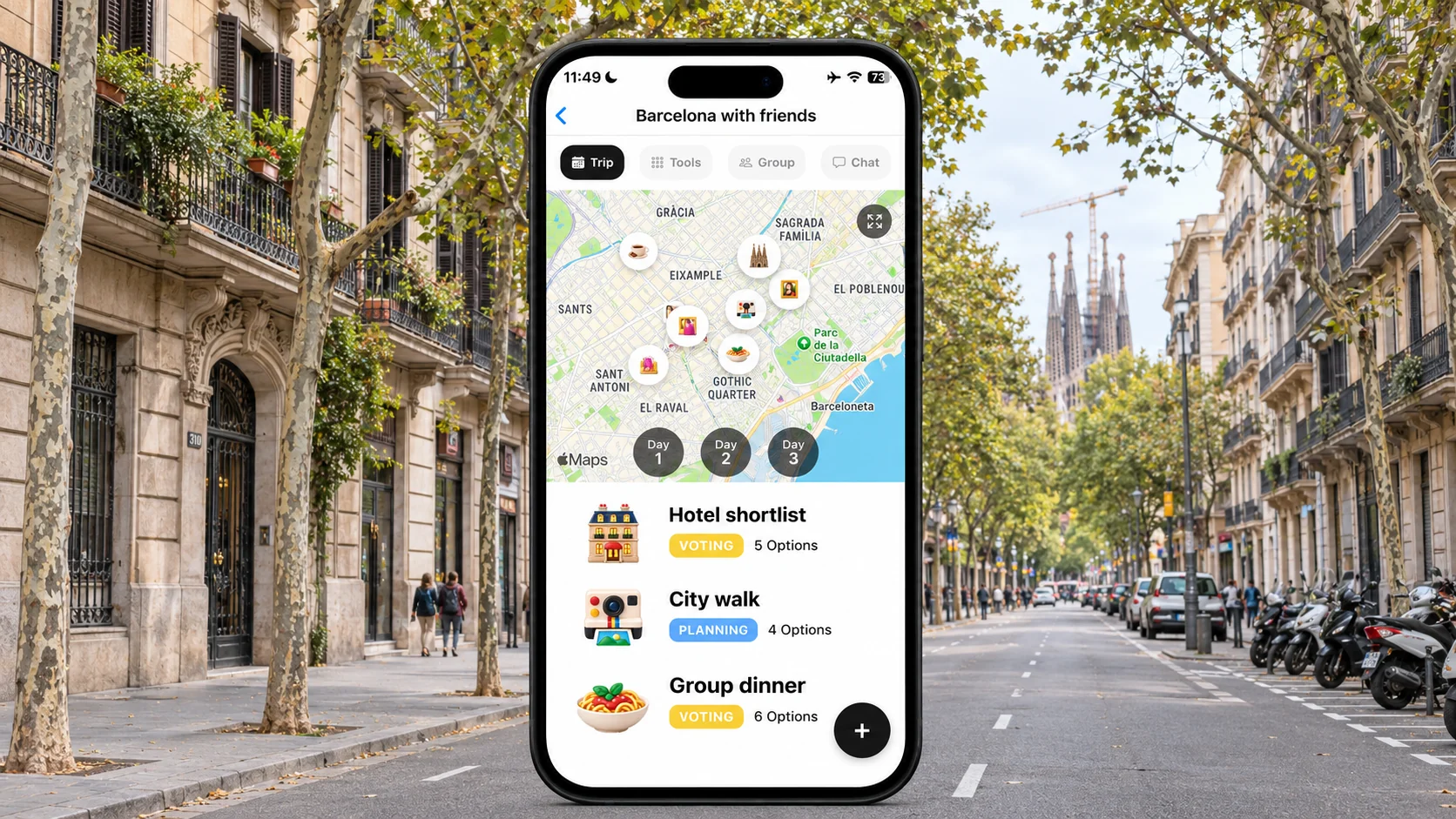
FlowTrip is relevant when the budget is only one part of the problem. Its official features include shared costs, tasks, voting, maps and an itinerary. Choose it for coordinating the holiday as a whole, rather than assuming it reproduces every specialist accounting or payment feature in Splitwise.
📱 Where it fits a Barcelona weekend
Before anyone pays, agree the accommodation and activity budget. Keep the chosen options and booking responsibilities alongside the day plan so friends understand why a cost exists. Separate an optional restaurant upgrade from a shared airport transfer. Recording a cost after the fact is easier when the group already agreed which expenses everyone would share.
💳 Free and paid access
FlowTrip is available on iOS and Android and free to download with paid offers. Exact free feature allowances and a numeric group cap were not verified. Its US store purchase names do not identify the billing periods for the non-lifetime offers, so check the current in-app terms. Do not describe the app as an unlimited free expense splitter or promise that it replaces a dedicated multi-currency ledger without testing that requirement.
⚖️ Its limitation in this comparison
A direct Splitwise balance import, a particular unequal-split method and in-app money transfers were not verified for FlowTrip in this review. If those are essential, test them before moving financial records or choose one of the dedicated alternatives below. You can also keep one expense ledger alongside the shared trip plan, provided the group knows which record determines the final balances.
3. tricount: a dedicated free expense ledger
tricount's official feature page lists free shared-expense tracking without ads or a daily expense cap. It also documents custom shares, multiple currencies, receipt photos and offline entry. That makes it a strong shortlist when the main reason for switching is the day-to-day task of recording and splitting bills.
🧾 Best use: many small shared purchases
For Barcelona, accommodation, groceries and taxis may involve different payers and different participants. Enter the people who actually benefited from each purchase rather than splitting everything across the entire holiday group. Keep the original receipt for a disputed restaurant bill. The useful outcome is a ledger everybody recognises, not just a low number of suggested repayments.
📲 Price, platforms and optional services
Core expense tracking is advertised as free. The official site links iOS and Android apps; no paid core splitting tier is listed in the reviewed feature page. Optional card and travel services are separate, and their conditions should not be confused with the cost of maintaining a shared ledger. A numeric group-member cap was not verified, so check unusually large groups before importing them.
🔄 Moving from Splitwise
tricount explicitly provides a Splitwise importer and directs users to the in-app Import from Splitwise flow. Follow those current instructions rather than a guessed export sequence. Keep the old group available, compare member names and balances, and inspect a few representative expenses after migration. An importer being available does not justify assuming that every historical field and attachment transfers perfectly.
4. Settle Up: a ledger with individual and group premium options
Settle Up is a dedicated shared-expense product with web, iOS and Android access. Its official site describes shared records and reducing the number of repayments. Its group premium model is particularly relevant when one trip's participants want paid features without treating the organiser's personal subscription as a group licence.
💰 Published US store offers
The US Apple listing shows individual Premium at US$3.99 monthly or US$19.99 yearly. Group Premium includes offers such as US$5.99 for one week and US$14.99 for one month. These are store-listed offers, not guaranteed prices in every region or account. The free app contains advertising. Choose the named product and duration carefully; an individual plan and a group upgrade are different purchases.
👥 When the group option makes sense
Settle Up's official tips explain that Group Premium enables premium features for everyone in one group. If six friends choose the listed US$5.99 weekly offer, the software cost is roughly US$1 each, subject to checkout terms. That arithmetic does not make it necessary: start with the free workflow and pay only if the group needs a specific premium feature. Check a numeric participant limit separately; none was verified here.
📥 Migration has a defined scope
The official instructions describe importing current members and balances from a Splitwise export into a new Settle Up group. Treat that as a balance migration, not a promise of a complete historical archive. Save the original records before switching, then ask each person to confirm their opening balance. Use a clear cutover point so the same taxi is not entered in both systems.
5. Test any alternative with this worked split
Use a tiny example before moving a real holiday ledger. Four friends—Alex, Bea, Chen and Dan—share a Barcelona trip. Alex pays €240 for accommodation for all four, Bea pays €60 for dinner shared only by Bea, Chen and Dan, and Chen pays €40 for a taxi shared only by Alex and Chen.
🧮 What each person should owe
The accommodation share is €60 each. The dinner share is €20 for each diner, and the taxi share is €20 for each passenger. Total consumption is Alex €80, Bea €80, Chen €100 and Dan €80, adding to €340. Against the payments made, Alex should receive €160; Bea owes €20, Chen owes €60 and Dan owes €80. All balances must add to zero.
💸 A valid settlement
Bea can pay Alex €20, Chen can pay Alex €60 and Dan can pay Alex €80. Other settlement sequences can be mathematically valid, but nobody should end up paying twice. Confirm whether the app is suggesting a repayment, recording one or actually initiating a payment. Mark a transfer settled only after the people involved verify that the money arrived through their chosen payment method.
6. Avoid the common migration and currency mistakes
A switch is a good moment to clean up the ledger, but not to quietly rewrite what people owe. Agree the cutoff, keep a backup and record any correction transparently. The alternative is only useful if everyone trusts the opening figures.
🧾 Deposits and repayments are not new spending
A repayment between friends clears a balance; entering it as another holiday expense can double-count it. A refundable damage deposit also needs separate treatment from a consumed hotel charge. Record who advanced it, when it was returned and any actual deduction. Keep personal shopping outside the shared group unless someone explicitly paid on another person's behalf.
💱 Choose a consistent currency policy
For a euro trip, decide whether to record the merchant's euro amount or the payer's actual home-currency card charge. Do not mix both for the same purchase. If you use converted amounts, agree the rate basis and treatment of card fees before the final settlement. An app's exchange rate may differ from the bank's charge; neither should be silently substituted halfway through reconciliation.
✅ Make the final choice
Choose FlowTrip for the broader planning workflow, tricount for a free dedicated ledger, or Settle Up when its ledger and group-premium arrangement fit your needs. Keep Splitwise if the group already has accurate records and the alternative does not solve a specific problem. Before deleting anything, have another person check the balances and retain a copy of the original expense history.
Frequently asked questions
Which Splitwise alternative is free for group trips?
tricount advertises free core expense tracking with no ads or daily expense cap. Optional card and travel products have separate terms.
Does FlowTrip directly import Splitwise balances?
That capability was not verified. Do not assume it when migrating financial records; test the requirement or use a documented importer.
Does Settle Up import the full Splitwise history?
Its official tips describe importing current members and balances. Keep the original records rather than assuming a full historical transfer.
Does recording a repayment send money?
Not necessarily. Distinguish a ledger entry or suggested settlement from an actual payment, and verify receipt before marking it settled.
Sources and review method
Reviewed November 3, 2026. We compared official descriptions, pricing, free and paid features, platforms and documented sharing or migration workflows. Recommendations and trip examples are editorial judgments, not measured performance results. We did not conduct hands-on tests, interview users or verify every account-specific entitlement. A feature not verified here is not necessarily absent.
- FlowTrip official features
- FlowTrip US App Store
- FlowTrip Android listing
- Splitwise Pro features
- tricount features and free terms
- tricount Splitwise importer
- Settle Up product and platforms
- Settle Up group premium and migration instructions
- Settle Up US store prices
Planning with Friends? Try FlowTrip App 🚀
Group plans and shared costs are easier to manage when everyone knows what has been agreed.
FlowTrip brings proposals, votes and your shared trip plan together.
- 🗺️Clean Itinerary and Map overview - everyone knows where to be, no one gets lost in the chat
- 📸Build your trip by uploading Screenshots - no typing needed, just drop your restaurant reservation
- 🤖AI Trip Idea Check - validates your trip based on your preferences, destination and season
- ✨AI Recommendations - restaurants, hotels, coffee spots, activities based on your preferences
- 🗳️Polls and voting - just suggest an activity and decide together
- 💬Built-in chat - keep all trip conversations in one place
- 💰Expense tracker - split costs and track spending
- 🎒AI Packing list - never forget essentials, AI will help you to take care of it
- ☀️Weather Forecast - You will know if the weather changes
More Trip Planning Guides
📱 3 Best Group Travel Planning Apps for 2027
Compare the broader group-planning shortlist
📱 3 Best TripBff Alternatives for Planning Group Holidays
Compare another group-travel workflow
📱 3 Best TripProf Alternatives for Planning Trips With Friends
Compare another group-travel workflow
💶 Best Expense-Splitting Apps for Group Travel
Explore the broader expense-app comparison