3 Best TripBff Alternatives for Planning Group Holidays
TripBFF helps travellers meet people; a group-holiday planner helps an established group agree on a trip and organise it. If you already know who is coming, these three alternatives focus on that second job, with different approaches to decisions, maps and shared itineraries.
1. Quick comparison: choose the right kind of alternative
| App / review | Best use | Free tier | Published paid offer | Platforms | Group limits |
|---|---|---|---|---|---|
| FlowTrip | Decisions, itinerary and shared costs | Free download; allowances unverified | US$9.99–29.99 offers, interval unspecified; US$99.99 lifetime | iOS, Android | Numeric cap unverified |
| Wanderlog | Map-led shared itinerary | Unlimited trips and collaborators | Pro from US$39.99/year or US$16.99/month | Web, iOS, Android | Unlimited free collaborators |
| Stippl | Itinerary, preparation and journal | Core planner, budget and packing tools | Pro €4.99/month | Web, iOS, Android | Unlimited free co-planners |
TripBFF's current Google Play listing describes nearby travellers, local meetups and connections around upcoming trips. This shortlist is for planning with people you already know, including companions you have already met; it is not a ranking of replacement stranger-matching services.
Published by FlowTrip. This is desk research from official product, store and help pages checked November 3, 2026, not independent hands-on testing. Prices and account offers can change; unknown limits are labelled rather than assumed.
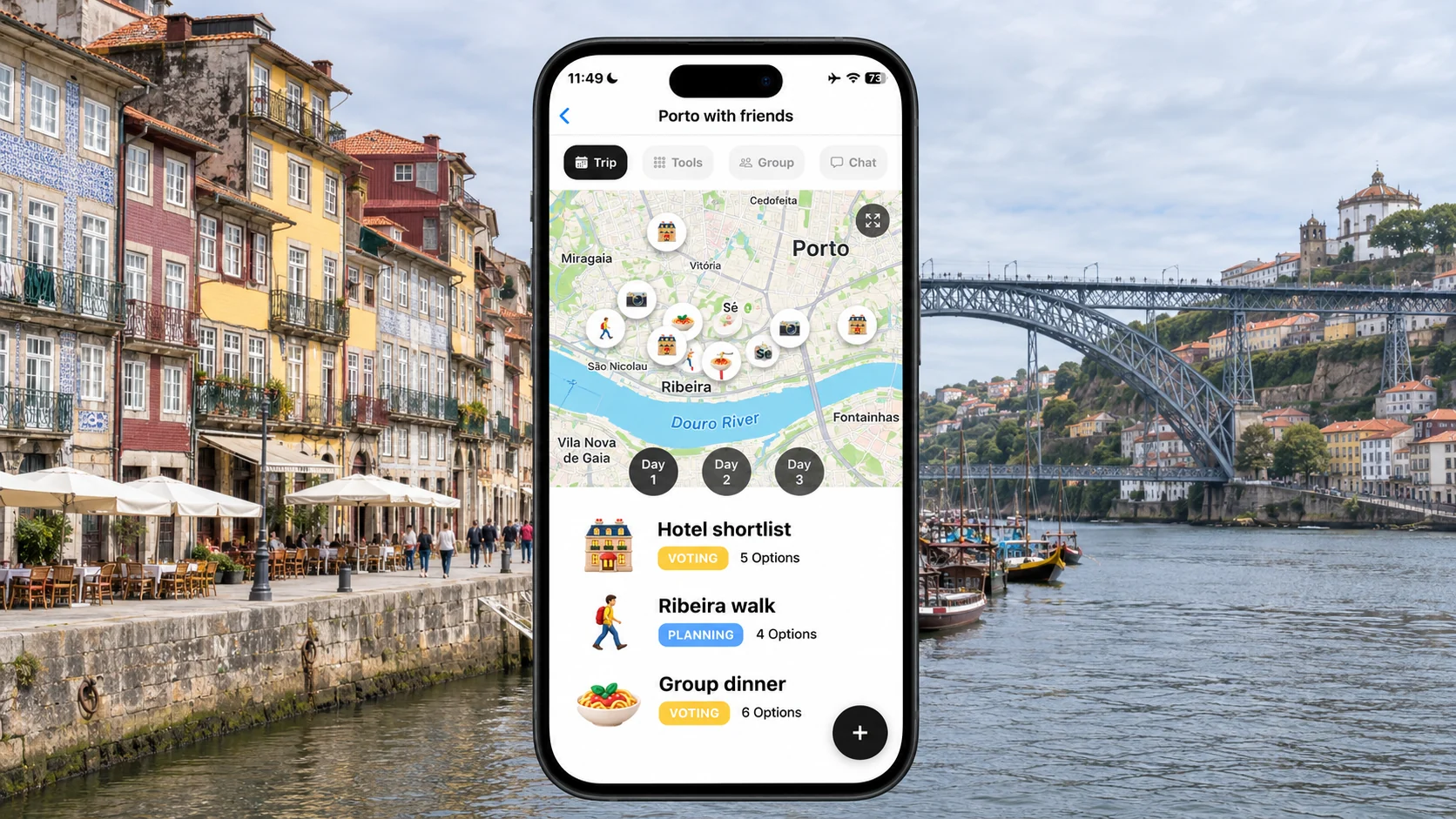
2. FlowTrip: turn a group conversation into decisions
FlowTrip fits the stage when friends are interested but dates, accommodation and activities remain unsettled. Its published features include proposals, comments, voting, a shared itinerary, map, expenses and tasks. That is a different starting point from discovering new travel companions: bring your group, then decide what the trip should be.
🗳️ Best use: an existing group with unresolved choices
For a Porto weekend, start with two possible weekends and a realistic spending ceiling. Ask people to choose between two accommodation options with the total stay cost attached. A vague vote for 'Porto sometime' does not tell the organiser who will pay a deposit. Make the next decision small enough that everyone can answer, and set a deadline before prices or availability change.
📱 What is verified, and what is not
FlowTrip has iOS and Android listings. It is free to download, with paid offers; the exact free allowances and numeric participant cap were not verified. The US Apple listing shows Unlimited Access purchases without billing intervals and a separately labelled lifetime offer. Check the in-app terms for your account rather than assuming a listed amount is a monthly subscription or that one purchase covers all guests.
⚖️ When to choose something else
Choose a map-led planner if the group has already agreed on the destination and mainly wants to arrange a long sightseeing list. Keep a traveller-discovery service if your actual problem is finding somebody to join you. FlowTrip is recommended here for organising an existing group, not as a verified replacement for TripBFF's nearby-traveller or meetup discovery.
3. Wanderlog: organise everyone's saved places
Wanderlog is relevant when the friends and destination are settled, but the ideas are scattered across saved maps, screenshots and messages. Its free plan allows unlimited trips and collaborators. The itinerary-and-map approach gives the group a way to turn a collection of places into days that make geographical sense.
🗺️ Best use: a sightseeing-heavy holiday
For Porto, separate a riverside afternoon from a day that involves travelling farther away. Ask each friend to contribute a small number of must-do places, then make room for meals and slower travellers. A map pin is a suggestion, not proof that a venue is open or that a ticket is available. Keep the booking owner and cancellation deadline alongside any commitment you make.
💰 Free versus paid
Wanderlog's published web offer starts at US$39.99 per year or US$16.99 per month for Pro. Offline access and route optimisation are paid features; free collaboration does not require those upgrades. Web, iOS and Android access are available. Check your own checkout because app-store and promotional offers can differ, and do not assume the organiser's Pro purchase grants every guest the same premium access.
👥 The trade-off
A well-arranged route can still be a plan that only one person understands. Ask another friend to add a place and locate the next day's meeting point before inviting everybody. If the real problem is getting agreement, compare the decision process with FlowTrip. Neither a map nor a neatly ordered itinerary resolves disagreement over spending without a conversation.
4. Stippl: plan together and keep the trip memories
Stippl is another itinerary-first option, with a free core planner and collaboration. Its official feature table includes unlimited co-planners, while its broader free tools include budget tracking, packing lists and a journal. It suits a group that wants the holiday plan and a record of the experience in one place.
🧳 Best use: shared preparation
Give each friend a practical task: research one neighbourhood, suggest a meal or check an activity's access requirements. Bring the results into a single day plan rather than giving everyone a separate itinerary to maintain. A shared packing list can be useful when people need to coordinate equipment, but distinguish shared items from personal essentials. Do not let the planner become a dumping ground for every possible idea.
💶 Price and platform
The reviewed Pro page lists €4.99 per month and web, iOS and Android availability. PDF export, calendar sync and email reservation forwarding are among the paid additions. Compare the feature you actually need rather than assuming all import and export methods are included in the free planner. The free collaboration allowance is explicitly published, unlike an inferred unlimited claim.
🔎 Reasons to try it before moving
A journal may be appealing, but it should not decide the app choice if nobody can comfortably edit the actual plan. Invite one friend and test the workflow on the devices you will travel with. If you mainly want to settle a destination or hotel vote, compare FlowTrip; if a detailed route is your priority, compare Wanderlog. There is no single winner for every stage of a group holiday.
5. Finding companions and planning with them are separate jobs
The important distinction is who the app helps you work with. TripBFF's official description focuses on social connections around travel. The three alternatives above are selected for organising a group, so switching to one should not be presented as a way to discover an equivalent pool of new companions.
🤝 Keep useful connections, change the planning process
If you met people through TripBFF and now want to organise a specific weekend, agree who is actually joining before creating a shared plan. A person liking an idea is not the same as accepting a room share or paying a deposit. Start with a low-commitment discussion of dates, budgets and travel style. Keep the initial group small enough that each person knows what they are agreeing to.
🏨 Make accommodation expectations explicit
Discuss private versus shared rooms, arrival times, cancellation rules and how changes affect the rest of the group. Do not let an attractive apartment image stand in for those decisions. If someone joins late, check capacity and the supplier's terms before promising them a bed. The app can record the agreement, but the people making the reservation still need to understand the commitment.
6. A practical handover into your group planner
A direct import of a complete TripBFF conversation into these products was not verified. You do not need the whole chat history: transfer the decisions and essential information, then keep the new plan current. This is a suggested workflow, not a hands-on benchmark of the apps.
📋 Start with five pieces of information
Record who is coming, the agreed dates, the destination, each person's budget boundary and the next booking decision. Add confirmed transport and accommodation only when the supplier confirmation exists. For the Porto example, use the exact hotel address rather than a neighbourhood name. Give every reservation one owner so the group knows whom to contact if something changes.
✅ Run a small participation test
Ask two friends to open the invitation, find an accommodation option and add a comment or contribution using the chosen app's supported workflow. Check any paid feature from the guest's account as well as the organiser's. Then explain where urgent updates will appear and stop editing duplicate plans. If the trial needs constant instruction, simplify the process before adding more content.
💸 Choose by the unfinished task
Pick FlowTrip for decisions, Wanderlog for arranging places or Stippl for an itinerary with shared preparation and journaling. Keep TripBFF if discovery is still the job you need. Before subscribing, write down the specific paid benefit and billing period. A free tool the group participates in is more useful than a feature-rich account that only the organiser opens.
Frequently asked questions
Are these direct replacements for finding travel buddies?
No. They are alternatives for planning a holiday with an existing group. TripBFF's discovery and meetup focus is a different use case.
Which alternative is best for group decisions?
FlowTrip is our recommendation when the group needs to choose dates, accommodation and activities together.
Can friends collaborate for free in Wanderlog or Stippl?
Wanderlog publishes unlimited free collaborators. Stippl's reviewed feature table lists unlimited co-planners in its free plan.
Can I transfer my TripBFF conversations automatically?
A complete automatic conversation import was not verified. Transfer agreed details and keep the source conversation available during the handover.
Sources and review method
Reviewed November 3, 2026. We compared official descriptions, pricing, free and paid features, platforms and documented sharing or migration workflows. Recommendations and trip examples are editorial judgments, not measured performance results. We did not conduct hands-on tests, interview users or verify every account-specific entitlement. A feature not verified here is not necessarily absent.
- FlowTrip official features
- FlowTrip US App Store
- FlowTrip Android listing
- Wanderlog free collaboration
- Wanderlog published Pro offer
- Stippl pricing and free-plan comparison
- Stippl itinerary planner
- TripBFF official Android description
Planning with Friends? Try FlowTrip App 🚀
Group plans and shared costs are easier to manage when everyone knows what has been agreed.
FlowTrip brings proposals, votes and your shared trip plan together.
- 🗺️Clean Itinerary and Map overview - everyone knows where to be, no one gets lost in the chat
- 📸Build your trip by uploading Screenshots - no typing needed, just drop your restaurant reservation
- 🤖AI Trip Idea Check - validates your trip based on your preferences, destination and season
- ✨AI Recommendations - restaurants, hotels, coffee spots, activities based on your preferences
- 🗳️Polls and voting - just suggest an activity and decide together
- 💬Built-in chat - keep all trip conversations in one place
- 💰Expense tracker - split costs and track spending
- 🎒AI Packing list - never forget essentials, AI will help you to take care of it
- ☀️Weather Forecast - You will know if the weather changes